

click or drag image file to here
Related Tools
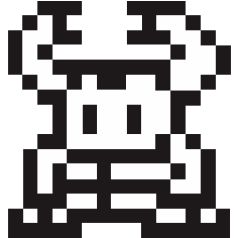
Convert text&image to xbm tool online, supporting the generation of black and white dot matrices for text and images, and downloading the generated black and white dot matrices as XBM files or image files.
- This tool supports generating pixel representations of text and images (black and white dot matrix representations), and supports downloading the generated results as xbm or jpegfiles.
- Up to 5MB image files can be uploaded.
- Input Type : Choose to generate a dot matrix representation of the text, or upload an image to generate a dot matrix representation of the image. Uploading images supports both jpg and jpeg formats.
- Width , Height : The pixel size of the generated result, optional. If a numerical value is filled in, the input may be stretched to meet the width and height requirements. If not filled in, the size will be automatically controlled based on the input content.
-
Export As : Choose the format for downloading the file, supporting both xbm and jpeg
formats. The xbm format can be used for programming purposes, such as controlling LED, LCD
dot matrix screen display of text or images. The jpeg format can be viewed and shared as an
image.
Note: If you choose the jpeg format, when the pixel grid has scrolling, the parts that need to be scrolled will not be displayed in the downloaded image. When the number of displayed pixel cells exceeds 262144, it can only be downloaded in xbm format and is no longer supported for downloading in jpeg format. -
Row , Column : The number of rows and columns in the pixel grid. When the
number of rows and columns is less than the width and height of the generated result, the
generated result will not be fully displayed, some parts on the right or bottom will be
hidden.
Note: When the number of rows or columns is greater than 500, the performance of the browser may decrease. Please be cautious when filling in excessively large numbers of rows and columns. - Cell Size : The size of the pixel grid.
- After setting the number of rows, columns, and grid size, it will take effect immediately when the element loses focus.
- The maximum number of pixel cells displayed is 262144. Exceeding this quantity will not support previewing the generated results. Please download the generated results directly to your local device before viewing.
- Font Size : The size of the font used to generate the text dot matrix.
-
Font :Select the font used to generate the xbm file.
The support for different characters in each font is as follows:
Font Name English Characters Chinese Characters Emoji Noto Sans Yes Yes Yes Simsun Yes Yes No Microsoft Yahei Yes Yes No Simkai Yes Yes No Simhei Yes Yes No Simyou Yes Yes No Times New Roman Yes No No Arial Yes No No Verdana Yes No No Ark-12px-ja Yes Yes No Ark-12px-ko Yes Yes No Ark-12px-latin Yes Yes No Ark-12px-zh_cn Yes Yes No Ark-12px-zh_hk Yes Yes No Ark-12px-zh_tr Yes Yes No Ark-12px-zh_tw Yes Yes No - Export : Download the generated results locally in the format of xbm or jpeg.
-
This tool has a certain frequency limit, please use this tool reasonably.
Anonymous : 6/IP*Hour, Normal user : 6/Hour, VIP : 120/Hour, Senior VIP : 120/Hour.
Anonymous and normal users are restricted from entering text with a length of 20 or less, and uploading images is not supported. VIP and advanced VIP users have all features. -
Sample image

